Cashless payments for your school canteen and bookstore
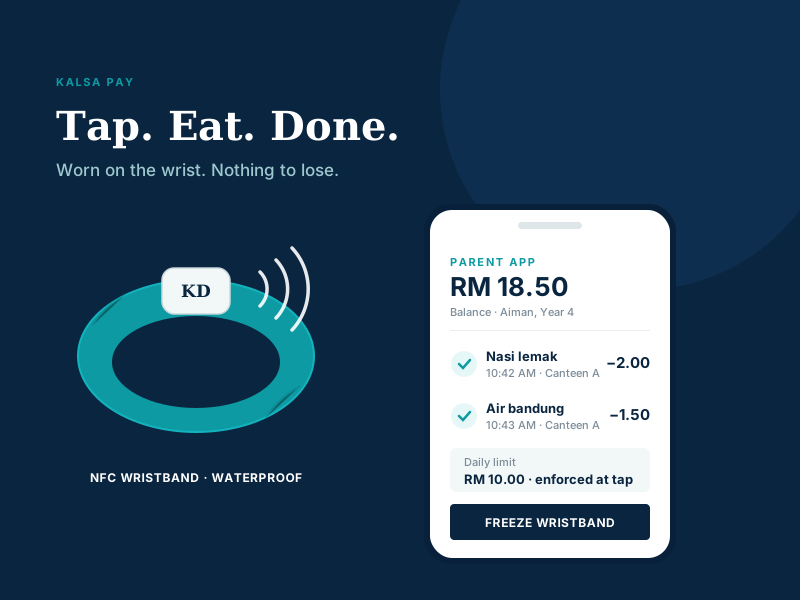
Children tap an NFC wristband to pay for food and books. Parents load credit, set spending limits, and see every purchase from their phone. No cash, no custom hardware — just a tap.
Money loaded by a parent can only be spent at that child’s own school — at the canteen or the bookstore. The wristband is just a key: it holds no money and no personal data, so a lost band is useless the moment a parent freezes it in the app.
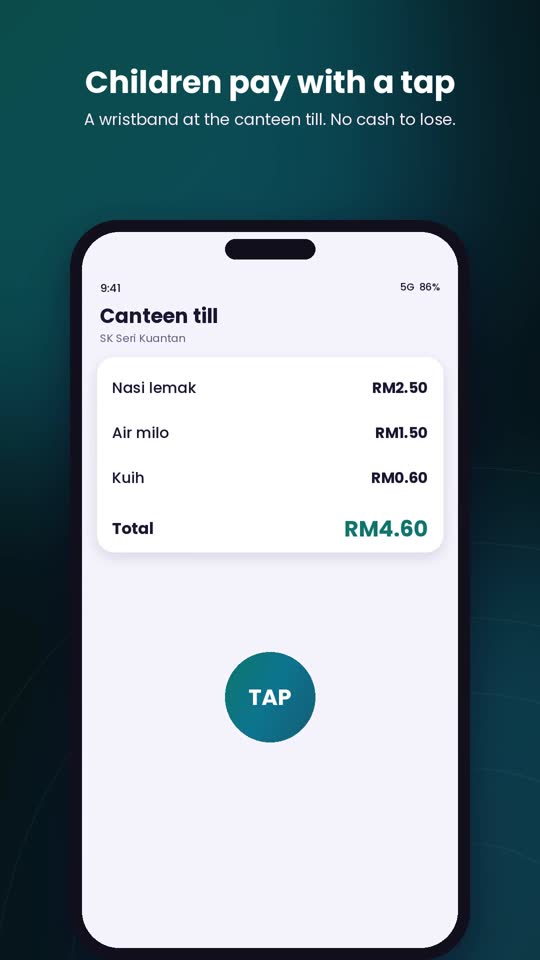
The merchant’s existing Android phone becomes the point of sale. The child taps their wristband; payment clears in about a second. Nothing to buy, nothing to install at the counter but an app.
Top up the wallet, set a daily and per-purchase limit, and freeze a lost wristband instantly — all from the app, without phoning the school.
Every sale is recorded as it happens. The canteen and bookstore see running daily totals instead of counting notes and coins at closing time.
Credit is added to the child’s wallet from the Kalsa Pay app. During the pilot, parents pay the school committee directly by DuitNow and the balance is credited the same day.
At the canteen or bookstore counter, the child taps their wristband on the merchant’s phone. No PIN to forget, no notes to lose.
The system checks the balance and the parent’s limits on the server, then approves in about a second. It can never be overspent.
The parent sees the purchase in the app straight away; the merchant sees it in their running daily sales.
Lost or damaged? Deactivate it yourself from the app. No phone call, no waiting for an administrator.
Cap what your child can spend in a day, and per purchase. Enforced at the moment of the tap, not after the fact.
An itemised history of what was bought and when — useful for allergies, budgets, and awkward conversations about ice cream.
A wristband stays on the child. Nothing to leave in a desk, drop in the playground, or forget at home.
There is no overdraft and no debt. If the wallet is empty, the tap is simply declined.
Young children stop carrying coins and notes to school entirely.
The same wristband and the same wallet work across every Kalsa Pay outlet in the school. Adding a new counter is just installing the app and signing in — no new hardware.
Faster queues at lunch, no coins to lose, no change to count at the counter.
Exercise books and supplies bought with the same tap and the same parent oversight.
Co-op, events, printing — any counter can be added, and one balance covers them all.
Any reasonably recent Android phone with NFC becomes the point of sale. There is no card machine to rent, buy or maintain.
Gross sales, the 1% platform fee and your net figure, calculated from the transaction record for any day or date range.
Charged the wrong item? Reverse it from the same phone and the money returns to the student’s wallet immediately.
Every tap carries a unique key, so a dropped connection and a retry can never charge a student twice for the same nasi lemak.
This system is used by children, so the honest answer about data matters more than the feature list.
The wristband carries only a serial number. No balance, no name, no personal information. Frozen instantly if lost, and useless to whoever finds it.
Balances and spending limits are verified on the server at every single tap, so a wallet can never be overspent and a limit can never be worked around.
During the pilot, parents pay the school committee directly. Kalsa Dermaga never takes custody of parents’ funds. Every ringgit is recorded and reconciled.
We are running a two-week pilot with a small group of families to prove it works smoothly, every day, with real queues at break time. Onboarding takes about five minutes per family at a parents’ meet-up.
If you run a school canteen or bookstore, or you are a parent who would like it at your school, talk to us.
See the Onboarding StepsTell us a little about your school or counter and we will come back to you with what a pilot would involve.
Ready to go ahead instead? See the six onboarding steps and sign up →