Staff meal cards for factory
and office canteens
Every staff member gets a printed NFC card with your company logo, and taps it at the canteen counter to pay. HR sets the meal allowance and the limits. At the end of the month, finance downloads one list for payroll.
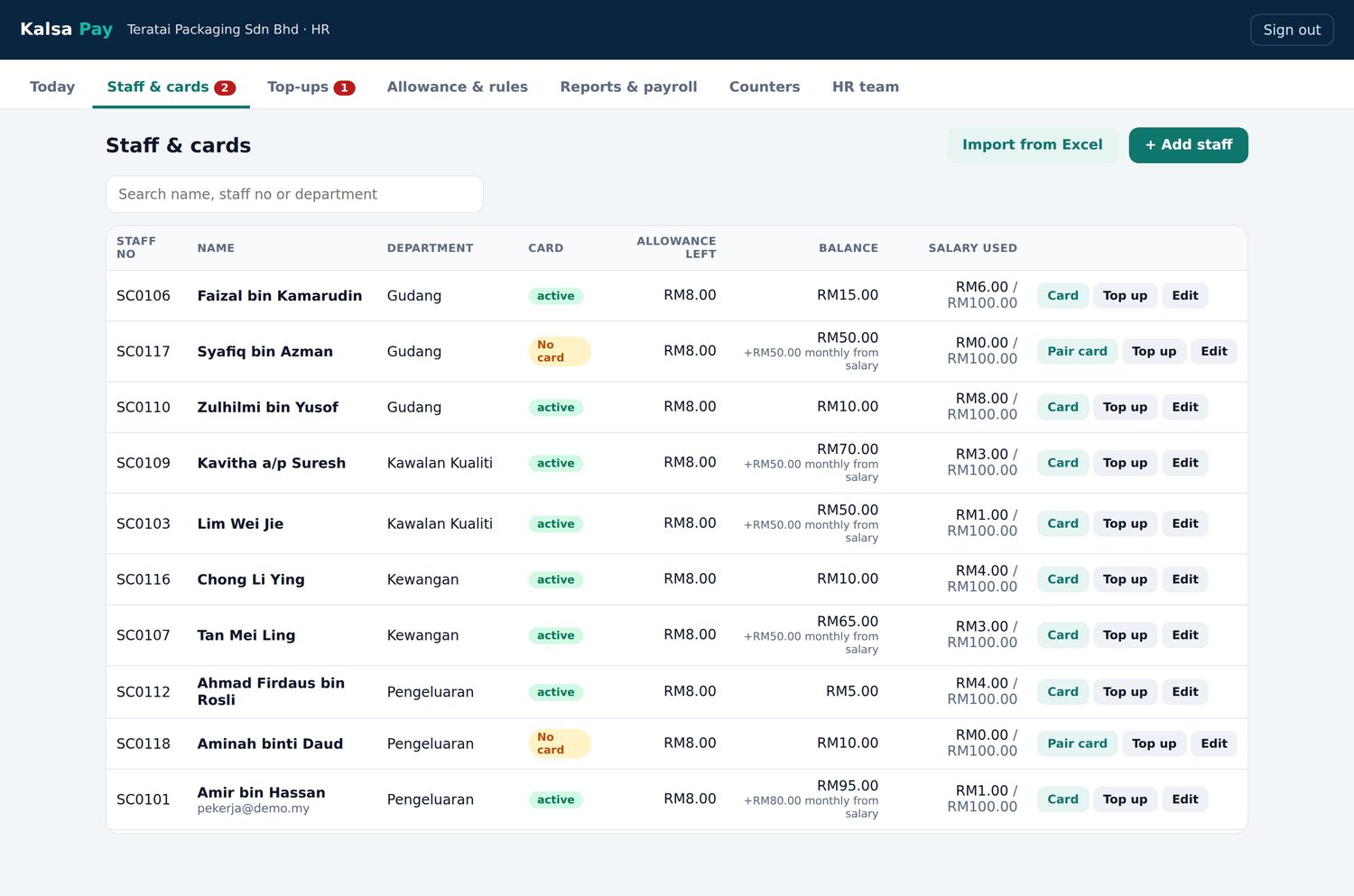
What HR and finance get
Set up staff and cards in one place
Import your staff list from Excel, then pair each card by tapping it on a phone. Set the allowance and limits for everyone at once, or change them for one person. HR and finance each have their own sign in.
Choose a daily allowance for working days or a monthly amount. Whatever is not used expires at the end of the day or the month.
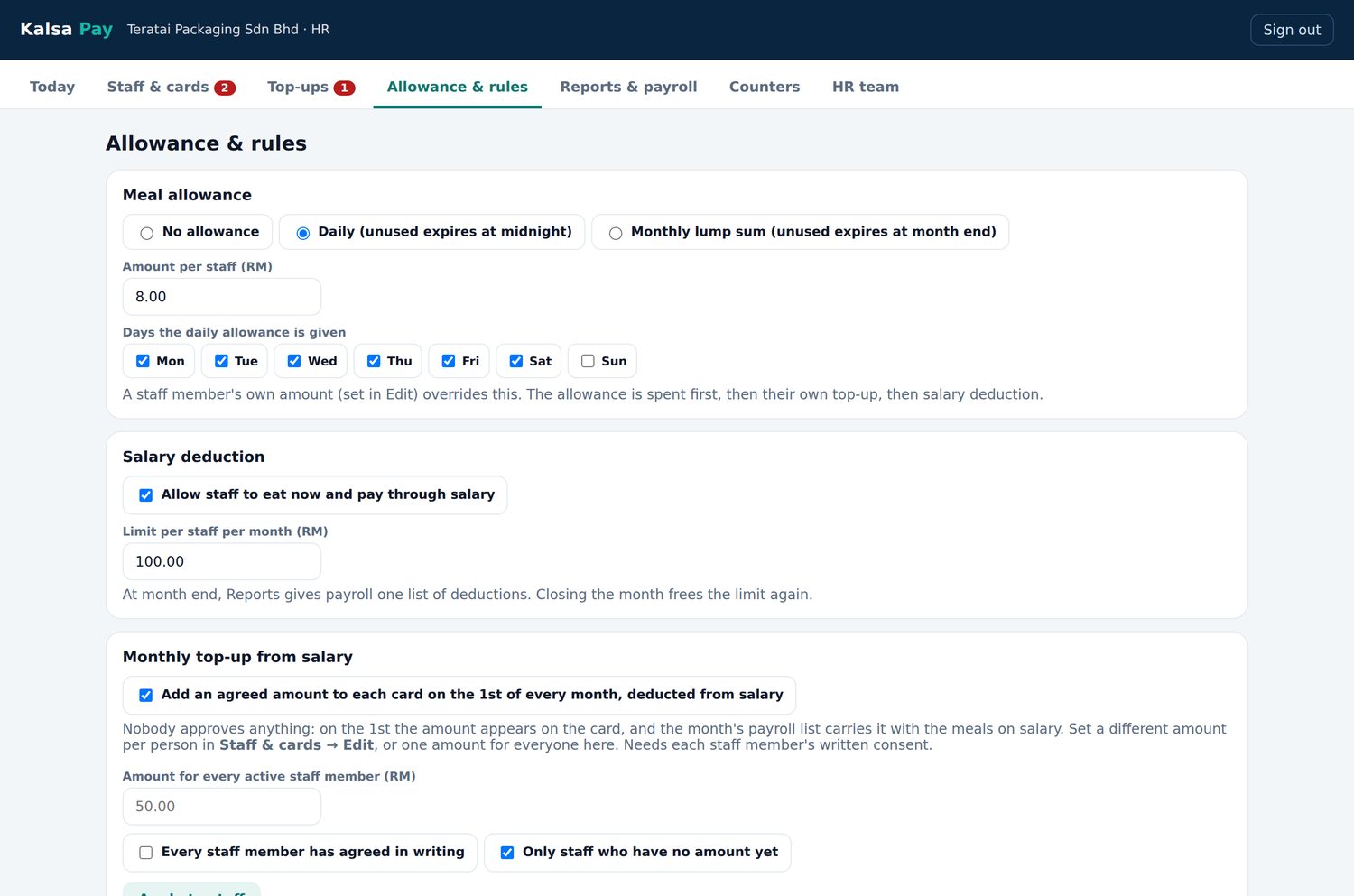
An Android phone becomes the counter
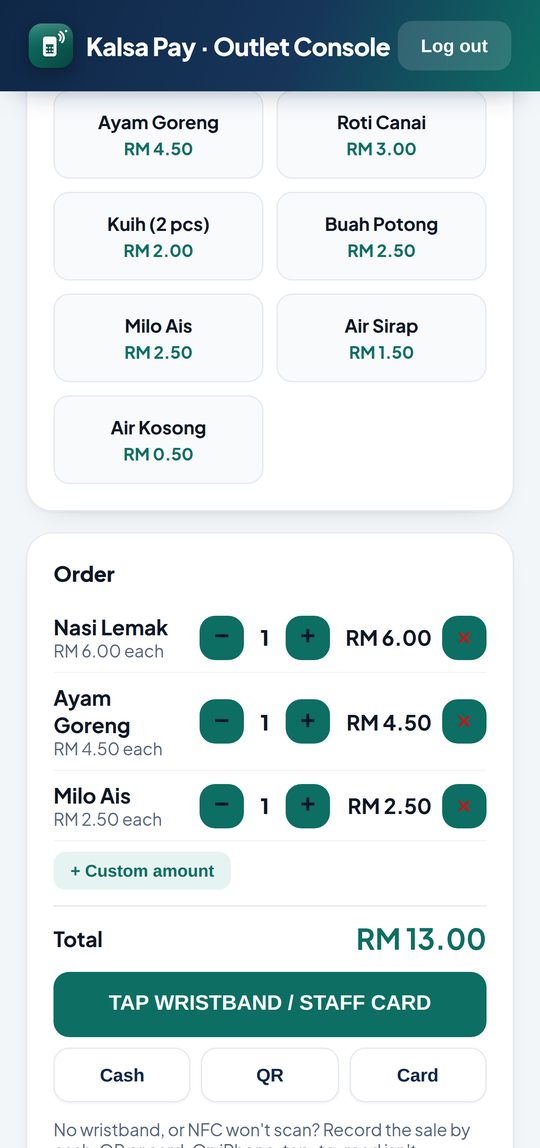
The cashier picks the meal and the staff member taps their card on an NFC Android phone. The screen shows Approved or Declined straight away.
The allowance is used first, then the staff member's own balance, then salary deduction if you allow it. Visitors and contractors can still pay by cash, DuitNow QR or card.
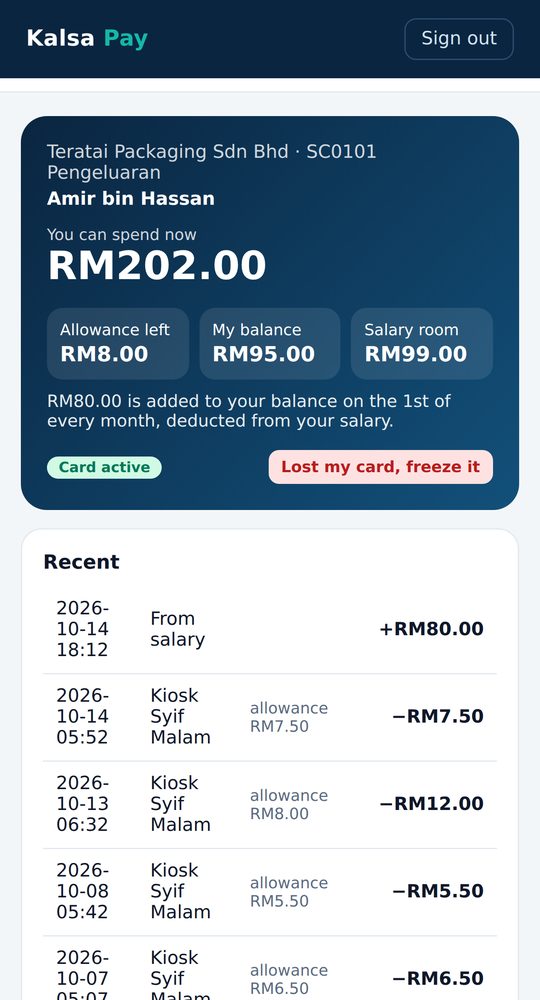
Staff can check their own balance
Each staff member sees the allowance left today, their own balance and how much salary deduction they have left, with a list of every meal they paid for.
If a card is lost, they freeze it from the same page in one tap. HR pairs a new card in a few minutes.
Payroll in a few minutes
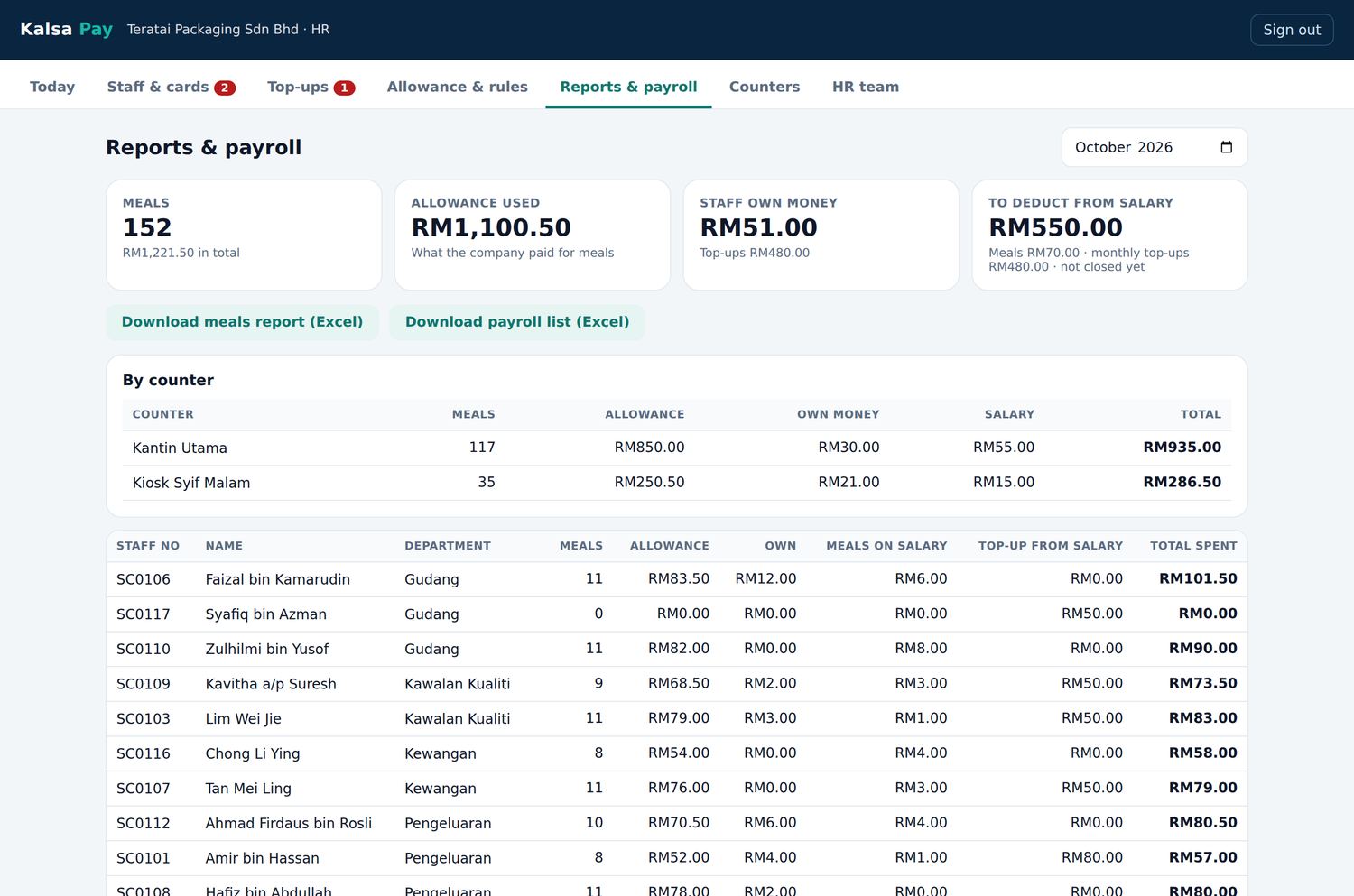
Reports and payroll shows the month's meals, allowance used, top ups and salary deductions, by counter and by staff member.
Download the meals report and the payroll list in Excel and pass them to whoever runs your payroll. Closing the month resets each staff member's salary limit.
Your money stays with your company
We never hold the money
Staff top ups are paid to your company, in cash at the counter or by DuitNow into your own bank account. The balances in the system are your company's records, and the cards only work at your own counters.
Staff data stays private
Your company controls its staff data, and only the people you add as HR or finance can see it. We handle it under the Personal Data Protection Act 2010, and back everything up daily.
Help when lunch is busy
If no counter can take cards, our hotline answers 24 hours a day, 7 days a week. For everything else, call, WhatsApp or email us from 8am to 10pm, every day.
From demo to go live in about three weeks
Most of that time is printing the cards. We handle the setup, and your HR team only needs to send the staff list and approve the card design.
- Demo for your HR team
We show how it works using our demo company, at your office or online.
- Agree the rules and send a quotation
Meal allowance, salary deduction, spending limits and the number of counters.
- Staff list and card printing
You send the staff list in Excel. We import it and print the cards with your logo, each staff member's name and staff number.
- Testing and training
Every card is paired and tested before go live. HR and finance get a short training session online.
- Go live day
We come on site, hand out the cards, train the cashiers and stay through the lunch rush.
- The first month
We check every declined tap in the first week and go through the first month end with HR.
Frequently asked questions
What do we need at the counter?
An Android phone with NFC and an internet connection, either Wi-Fi or mobile data. We can also supply counter phones that are already set up.
Can our canteen operator use it?
Yes. The operator sells from the counter phone, and you decide which counters accept the staff cards. Sales are shown for each counter.
What happens if the internet goes down?
Your go live pack includes a backup plan. The counter takes cash or keeps a paper meal list, and you settle those meals afterwards.
Does Kalsa Dermaga hold our staff’s money?
No. Top ups are paid to your company, in cash at your counter or into your own bank account. Kalsa Dermaga never receives or holds the money.
Can staff use their card at other places?
No. A company card only works at that company’s own counters.
How long does setup take?
About three weeks from the signed quotation to go live day. Most of that time is printing the cards.
How much does it cost?
It depends on the number of staff with cards. Tell us your headcount and number of counters, and we will send you a quotation.
Do you work with companies outside Malaysia?
Yes. The system runs in a web browser, so it works wherever your counters have internet. In Malaysia we come on site for go live day. Elsewhere, we set it up with you online and send the cards to you.
Show it to your HR team
Tell us roughly how many staff you have and how many counters you run. We will arrange a demo at your office or online, then send a quotation based on your numbers.
Kuantan, Pahang / Shah Alam, Selangor · 012-3454520